All posts
Insights

Vikram Das


Every startup running on cloud credits will face the same reckoning: the credits expire, and the real bill arrives. For companies that have grown accustomed to essentially free cloud infrastructure during their first 12–24 months, the transition to paying full price is one of the most financially disruptive moments in a startup's lifecycle. Cloud bills that were invisible suddenly become the second or third largest line item on the P&L.
This guide is for startups and scale-ups in the post-credit phase — typically Seed to Series B companies spending €5K to €100K per month on cloud — who need to get their cloud costs under control without slowing down product development.
The Credit Cliff Problem
Cloud providers design their startup programs strategically. AWS Activate, Google for Startups Cloud Program, and Microsoft for Startups offer $5K to $100K+ in credits precisely because they know that by the time credits expire, the startup will be deeply embedded in the provider's ecosystem.
During the credit period, cost discipline is virtually nonexistent. Why would a team of four engineers spend time optimizing infrastructure when credits cover everything? The result is that by the time credits expire, the startup has accumulated months or years of un-optimized infrastructure decisions.
Common patterns include development and staging environments running 24/7 with production-grade resources, oversized instance types selected as defaults because there was no cost penalty, no auto-scaling configurations because fixed over-provisioning was simpler, orphaned resources from experiments and prototypes that were never cleaned up, and no tagging strategy making it impossible to attribute costs to teams or features.
When the credits expire, these accumulated decisions hit the bank account all at once.
The First 30 Days: Triage
The first month after credits expire should be focused on stopping the bleeding. These are the fastest wins with the lowest risk.
Eliminate Zombie Resources
Run a comprehensive audit of your cloud account. Look for unattached storage volumes and snapshots, load balancers with no targets, elastic IP addresses not associated with running instances, idle NAT gateways, development and staging environments that can be shut down outside business hours, and old AMIs, container images, and artifacts consuming storage.
This audit alone typically identifies 10–20% savings. Tools can help, but even a manual review of your cloud console's cost explorer, filtered by service, will surface the obvious waste.
Implement Scheduling
Development and staging environments do not need to run 24/7. Implementing scheduling to shut them down outside working hours (nights and weekends) reduces compute costs for these environments by 65–75%. This is one of the highest-impact, lowest-risk optimizations available.
Review Data Transfer Costs
Data transfer is often the surprise line item for startups. Cross-region and cross-AZ data transfer charges add up quickly. Quick wins include ensuring your application components that communicate frequently are in the same availability zone, replacing cross-region data replication with more cost-effective alternatives where full replication is not required, and reviewing CDN configurations to reduce origin fetches.
Days 30–90: Systematic Optimization
Once the immediate waste is eliminated, move to systematic optimization.
Right-Size Everything
With 30 days of real billing data, you can make informed rightsizing decisions. Focus on instances where provisioned resources exceed actual peak utilization by more than 50%. For a startup, this typically means most of your fleet.
AI-powered rightsizing tools can accelerate this process by analyzing actual usage patterns and recommending optimal instance types that account for burst requirements and growth projections — not just average utilization.
Implement Auto-Scaling
If your application architecture supports it, auto-scaling is the single most important infrastructure change for cost optimization. Rather than provisioning for peak capacity (and paying for it 24/7), auto-scaling adjusts capacity to match actual demand.
For web applications, start with target tracking scaling policies that maintain a target CPU utilization across your fleet. For background processing, use queue depth-based scaling that scales workers based on the volume of pending work.
Evaluate Commitment Options
Once you have 60–90 days of billing data and have completed rightsizing, you can identify workloads that are stable enough to justify committed pricing. Start with 1-year reservations for production databases and core application infrastructure that you are confident will remain stable. Avoid 3-year commitments at the scale-up stage — your infrastructure is still evolving too quickly.
Building Cost Culture Without Building a FinOps Team
Startups do not have the headcount for a dedicated FinOps team, and they should not pretend otherwise. Instead, embed cost awareness into existing engineering practices.
Add cost tags to every resource so you can attribute spend to features, teams, or customers. Include cost impact in pull request reviews for infrastructure changes. Set up weekly automated cost reports that go to the engineering lead and CEO. Define per-service cost budgets that trigger alerts when breached.
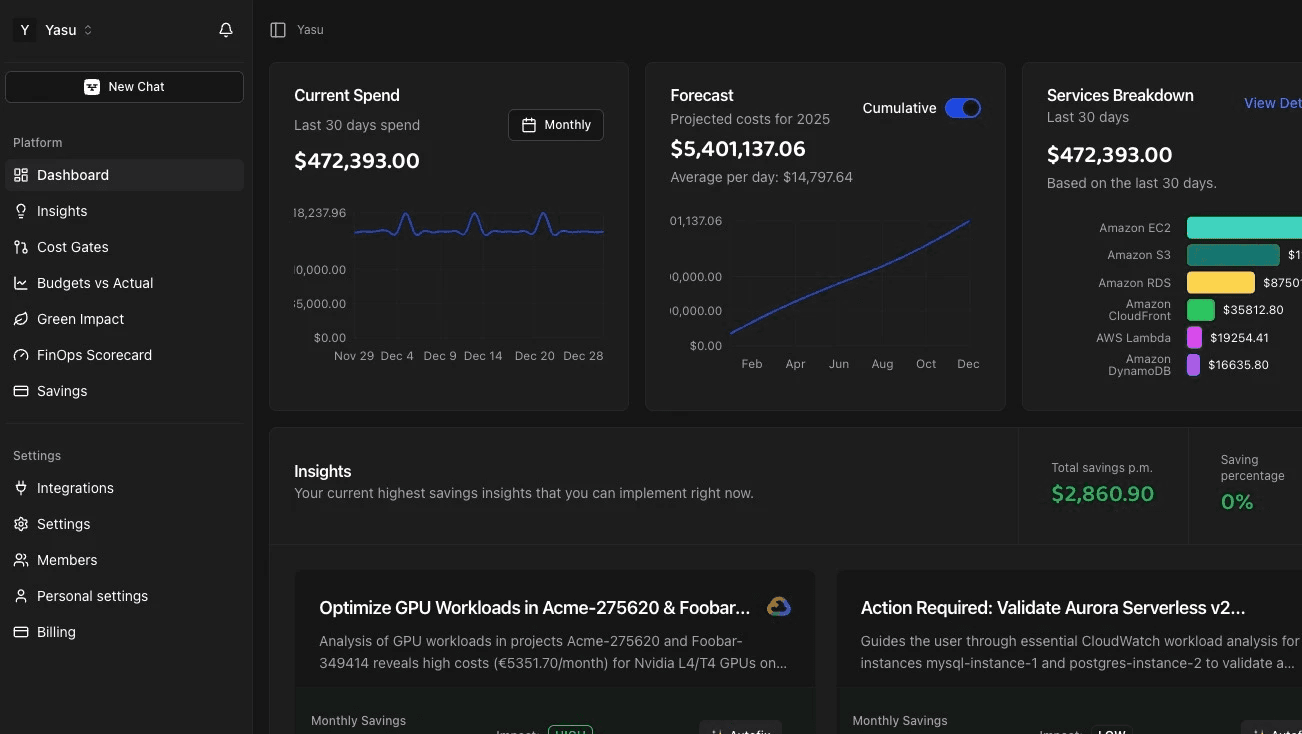
An AI-powered platform like Yasu is designed for exactly this scenario: delivering enterprise-grade cloud cost optimization to teams that cannot afford to hire FinOps specialists. The AI handles continuous monitoring, analysis, and optimization that would otherwise require a dedicated team of two to three people.
The Growth Trap
As your startup grows, cloud costs will grow with it. The danger is not that costs increase — that is expected — but that costs grow faster than revenue. Maintaining healthy unit economics means your cloud cost per customer (or per transaction, or per whatever your key business metric is) should decrease over time as you benefit from economies of scale and accumulate optimization improvements.
Track this ratio monthly. If cloud cost per unit is increasing, you have an architectural or optimization problem that will only compound as you scale.
Frequently Asked Questions
When should startups start worrying about cloud costs?
Ideally, 3–6 months before startup credits expire. This provides time to implement basic cost hygiene, establish tagging, and understand baseline spending patterns before the real bill arrives.
How much can a startup save with cloud cost optimization?
Startups in the post-credit phase typically have 30–50% waste due to accumulated un-optimized decisions. A structured optimization effort can capture most of this waste within the first 90 days.
Do I need a dedicated FinOps team as a startup?
No. AI-powered optimization platforms can deliver enterprise-grade cost management without dedicated headcount. Embed cost awareness into existing engineering practices and leverage automation for continuous optimization.
Should I switch cloud providers to reduce costs?
Rarely. The migration cost and engineering effort typically outweigh the savings. Focus on optimizing within your current provider first. Multi-cloud strategies make sense for specific workloads but not as a general cost reduction tactic for startups.
What is the biggest cloud cost mistake startups make?
Over-provisioning everything during the credit period and having no visibility into actual resource utilization. By the time credits expire, the technical debt in cloud configuration is substantial and expensive.
How do I prevent cloud costs from growing faster than revenue?
Track cloud cost per unit of business value (per customer, per transaction, per request) monthly. If this ratio is increasing, investigate and address the root cause before it compounds. Implement shift-left cost prevention in CI/CD to ensure new infrastructure is provisioned optimally from day one.