All posts
Insights

Vikram Das
Traditional cloud rightsizing tools look at one thing: average CPU utilization over the past 14 days. If it's below 40%, they recommend downsizing. This approach has been failing teams for years because cloud workloads don't operate on averages. A machine learning instance that spikes to 95% CPU during training but idles at 5% between runs looks "oversized" to traditional tools. AI-powered rightsizing analyzes the full picture: CPU, memory, network, disk I/O, and application-specific metrics across time, producing recommendations that engineers actually trust and implement.
Why Traditional Rightsizing Fails
The fundamental problem with rule-based rightsizing is that cloud workloads aren't static. A service that averages 30% CPU might spike to 95% every morning during batch processing. A database instance running at 20% CPU might be memory-bound, making a CPU-based downsize recommendation dangerous.
Studies from the FinOps Foundation show that only 25-35% of traditional rightsizing recommendations get implemented. The rest sit in dashboards, ignored by engineers who don't trust them — and for good reason.
Common failure modes of basic rightsizing include recommending downsizes based on averages that miss critical peak periods, ignoring memory and I/O constraints when only analyzing CPU, failing to account for upcoming traffic growth or seasonal patterns, generating recommendations that become stale within days of creation, and treating all workloads identically regardless of criticality tier.
What AI-Powered Rightsizing Actually Analyzes
Modern AI-driven rightsizing platforms examine a far richer set of signals than simple averages. These typically include multi-dimensional resource analysis across CPU, memory, network, disk IOPS, and GPU utilization simultaneously, temporal pattern recognition that identifies hourly, daily, weekly, and seasonal usage cycles, workload classification that distinguishes between batch processing, real-time APIs, databases, and ML training jobs, correlation analysis between resource metrics and application performance indicators like latency and error rates, and deployment-aware modeling that factors in upcoming releases and infrastructure changes.
This multi-signal approach means recommendations account for the full picture of how a workload actually behaves, not just a single metric snapshot.
The Confidence Score Difference
One of the most important innovations in AI-based rightsizing is the concept of confidence scoring. Rather than presenting a binary "downsize this instance" recommendation, AI models assign a confidence level based on how predictable the workload is, how much headroom exists across all resource dimensions, and the potential blast radius if the recommendation causes issues.
High-confidence recommendations (those with predictable patterns, large headroom, and low blast radius) can be auto-implemented. Lower-confidence ones get flagged for human review with clear explanations of the uncertainty.
This approach dramatically increases implementation rates. When engineers can see why a recommendation is being made and how confident the system is, they're far more likely to act on it.
Rightsizing for Different Workload Types
Stateless API Services
For stateless services behind load balancers, AI rightsizing focuses on the relationship between instance size and auto-scaling behavior. Sometimes a smaller instance with more aggressive scaling is cheaper than a larger instance that handles peaks within a single node. AI models can simulate both configurations and recommend the optimal balance.
Databases and Stateful Services
Database rightsizing requires special care. Memory is typically the binding constraint, not CPU. AI models analyze query patterns, cache hit rates, connection counts, and storage I/O to recommend changes that won't degrade query performance. They also factor in replication lag sensitivity and backup window requirements.
Batch and ML Training Jobs
Batch workloads often benefit from a completely different approach: rather than rightsizing the instance, AI can optimize the schedule. Running batch jobs during off-peak hours on spot instances, or consolidating multiple small jobs into fewer larger instances, often saves more than simple downsizing.
Kubernetes Pods
Container rightsizing adds another layer of complexity. AI models need to analyze both pod resource requests/limits and the underlying node sizing. Often the biggest savings come from adjusting requests and limits to improve bin packing, allowing the cluster autoscaler to use fewer, more efficiently packed nodes.
From Recommendations to Autonomous Action
The evolution of rightsizing follows a clear maturity path. It starts with visibility, where you can see what's oversized but take no action. Then comes recommendations, where the system suggests changes but humans execute them. Next is approval-based automation, where the system can execute approved changes automatically. Finally, the most mature stage is autonomous optimization, where AI continuously adjusts resources based on real-time demand.
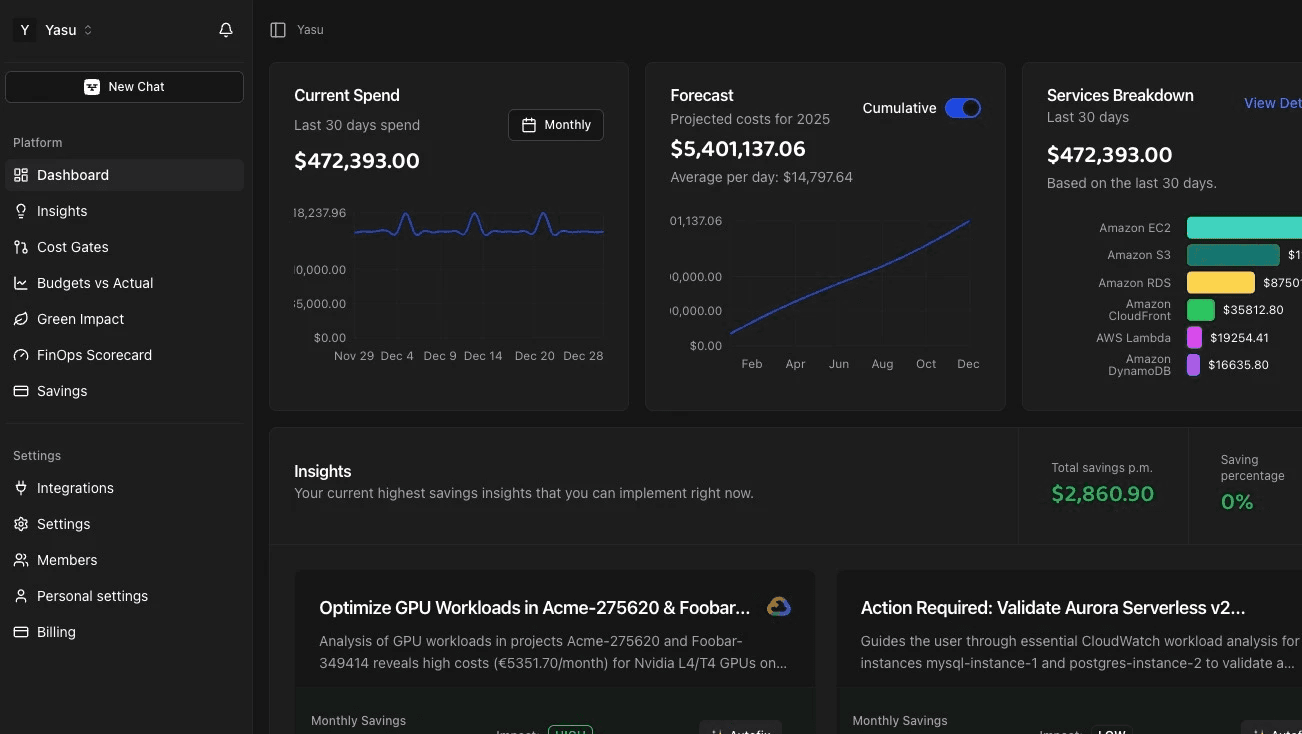
Platforms like Yasu are pushing toward that final stage, where rightsizing isn't a periodic exercise but a continuous, autonomous process. The AI agent monitors workloads in real time, identifies optimization opportunities, validates them against safety constraints, and implements changes — all without human intervention for high-confidence actions.
This shift from periodic reports to continuous optimization is where the real savings compound. Instead of reviewing rightsizing recommendations quarterly, the system captures savings as soon as usage patterns change.
Measuring Rightsizing Success
Effective rightsizing measurement goes beyond simple cost reduction. Key metrics should include implementation rate (what percentage of recommendations actually get applied), recommendation accuracy (how often do implemented changes stick without rollback), performance impact (did latency or error rates change after rightsizing), time to value (how quickly are recommendations generated after a workload is onboarded), and coverage (what percentage of your fleet has been analyzed and optimized).
AI-powered rightsizing typically achieves 15-30% cost reduction on compute spend with implementation rates above 70%, compared to 5-15% savings and sub-35% implementation rates for traditional tools.
Getting Started with AI Rightsizing
If you're currently using basic threshold-based rightsizing (or no rightsizing at all), the transition to AI-powered optimization doesn't have to be dramatic. Start with non-production environments where the blast radius of any recommendation is low. Use the results to build confidence with your engineering team. Then gradually expand to production workloads, beginning with stateless services and moving to stateful ones as trust builds.
The key is choosing a platform that provides transparency into its reasoning. Black-box recommendations won't earn engineer trust. You need a system that can explain why it's making each recommendation and what signals it considered — which is exactly the approach that platforms like Yasu take with their explainable AI architecture.
Frequently Asked Questions
How is AI rightsizing different from what AWS Compute Optimizer does?
AWS Compute Optimizer uses basic statistical analysis of CloudWatch metrics to suggest instance changes. AI-powered rightsizing goes further by analyzing cross-metric correlations, temporal patterns, workload classification, and application-level performance data. It also provides confidence scores and can auto-implement changes, whereas Compute Optimizer only generates static recommendations.
Will AI rightsizing cause performance problems?
Well-designed AI rightsizing includes safety mechanisms: confidence scoring, gradual rollout, automatic rollback triggers, and performance monitoring. The risk is actually lower than manual rightsizing because the AI considers more variables and can react faster if something goes wrong.
How long does it take for AI rightsizing to start generating savings?
Most AI rightsizing platforms need 7-14 days of data collection to build accurate workload models. After that initial learning period, recommendations start flowing. High-confidence recommendations for non-production workloads can typically be implemented within the first month, with production optimizations following as the model gains confidence.
Can AI rightsizing work across multiple cloud providers?
Yes. Multi-cloud AI rightsizing platforms normalize metrics across AWS, Azure, and GCP, providing consistent recommendations regardless of the underlying provider. This is particularly valuable for organizations running workloads across multiple clouds, as it enables cross-cloud comparison and migration recommendations.
What's the typical ROI of switching from traditional to AI-powered rightsizing?
Organizations typically see a 2-3x improvement in savings compared to traditional rightsizing tools, primarily driven by higher implementation rates and the ability to capture savings continuously rather than periodically. For a company spending $50K/month on compute, that often translates to an additional $5K-$10K/month in savings.